View All IAQ / IEQ Measurements in Real Time, Sensor Specific
The NanoView App allows users to view detailed, real-time IAQ / IEQ data for an individual NanoDetect PRO sensor.
View Real-Time Measurements
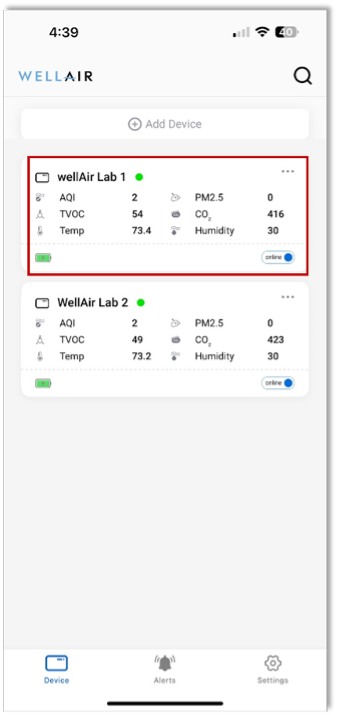
Step 1 From the NanoView App home screen, tap on a NanoDetect PRO device tile.
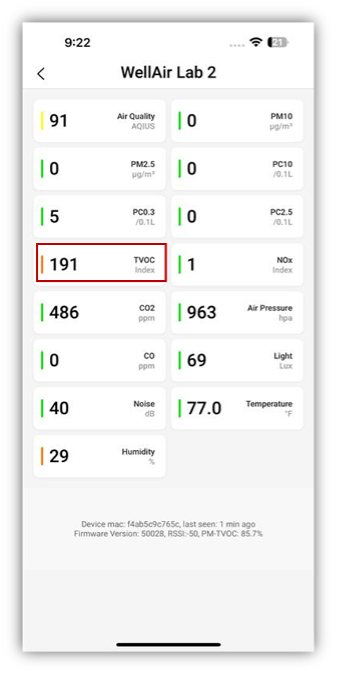
This opens a detailed view displaying real-time measurements for all IAQ / IEQ parameters, including any optional sensors installed on the device.
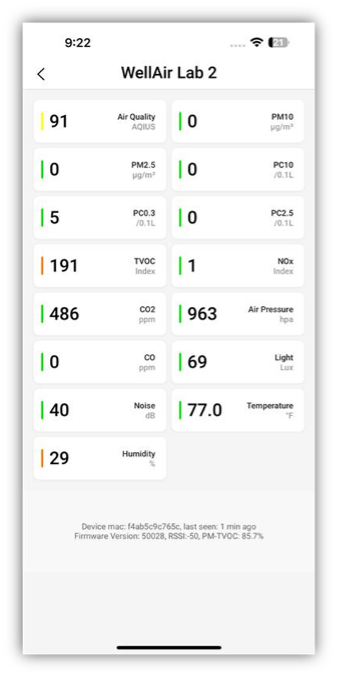
The individual device view displays:
• A dedicated tile for each IAQ / IEQ parameter, showing the current real-time data measurement and the units for the measurement (e.g. ppb, ppm etc)
• A colored vertical indicator bar on the left side of each tile, representing the overall air quality status in accordance with the Air Quality Index (AQI)
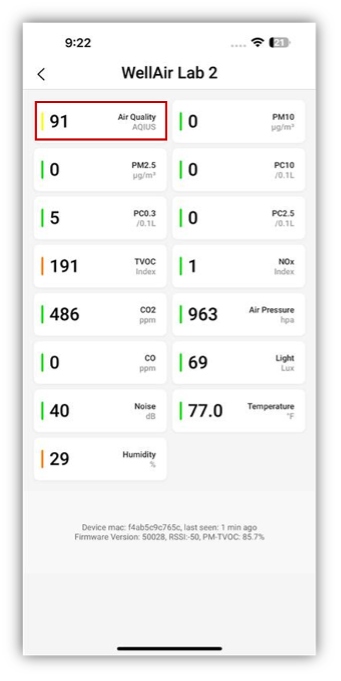
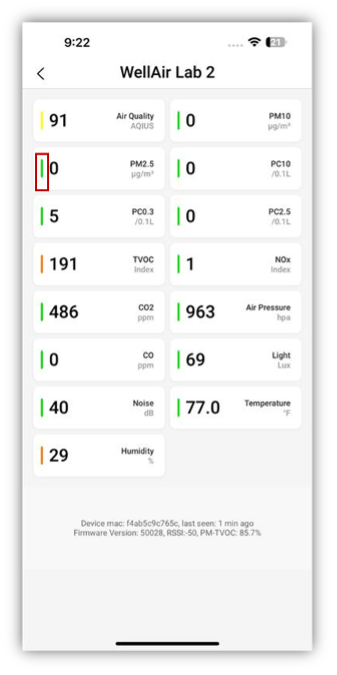
The indicator colors correspond to the air quality levels shown in the table below:
|
0 - 50 |
Good |
|
51 - 100 |
Moderate |
|
101 - 150 |
Unhealthy for Sensitive Groups |
|
151 - 200 |
Unhealthy |
|
201 - 300 |
Very Unhealthy |
|
301 - 500 |
Hazardous |
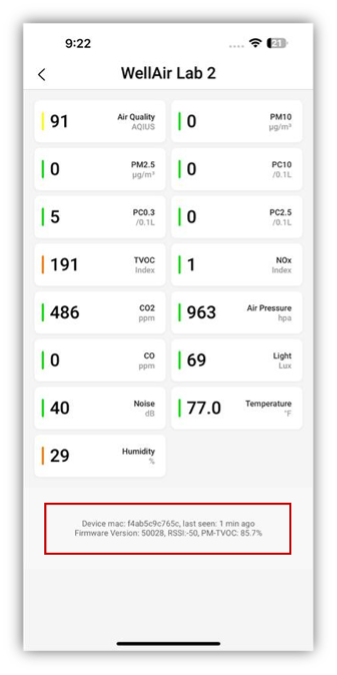
At the bottom of the device detail screen, the following information is displayed for reference:
• Device MAC address
• Last communication time
• Firmware version
• Signal strength (RSSI)
Viewing Historical Data Trends
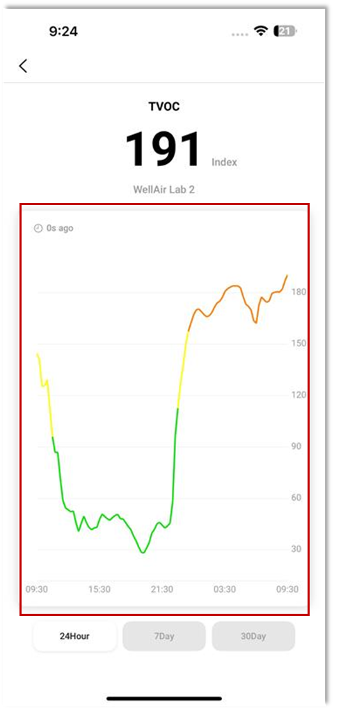
Step 1 To view historical trends for a specific IAQ / IEQ parameter, tap the relevant parameter tile.
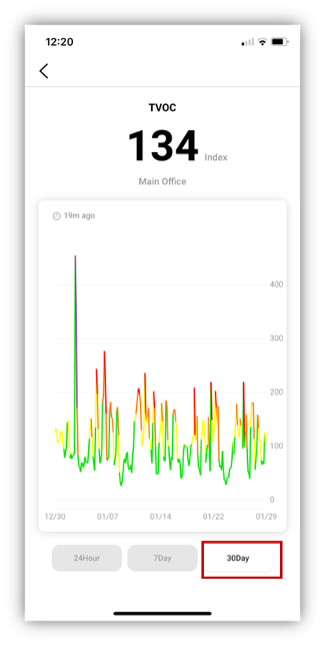
a. A historical trend graph will be displayed, showing data across selectable time ranges:
• 24 Hours
• 7 Days
• 30 Days
b. The color of the trend line represents the status of the selected IAQ / IEQ parameter for each measurement, in line with the parameter-specific index.
c. Change the desired time range for line graph using the icons at the bottom of the screen.