Installation Manual
Published
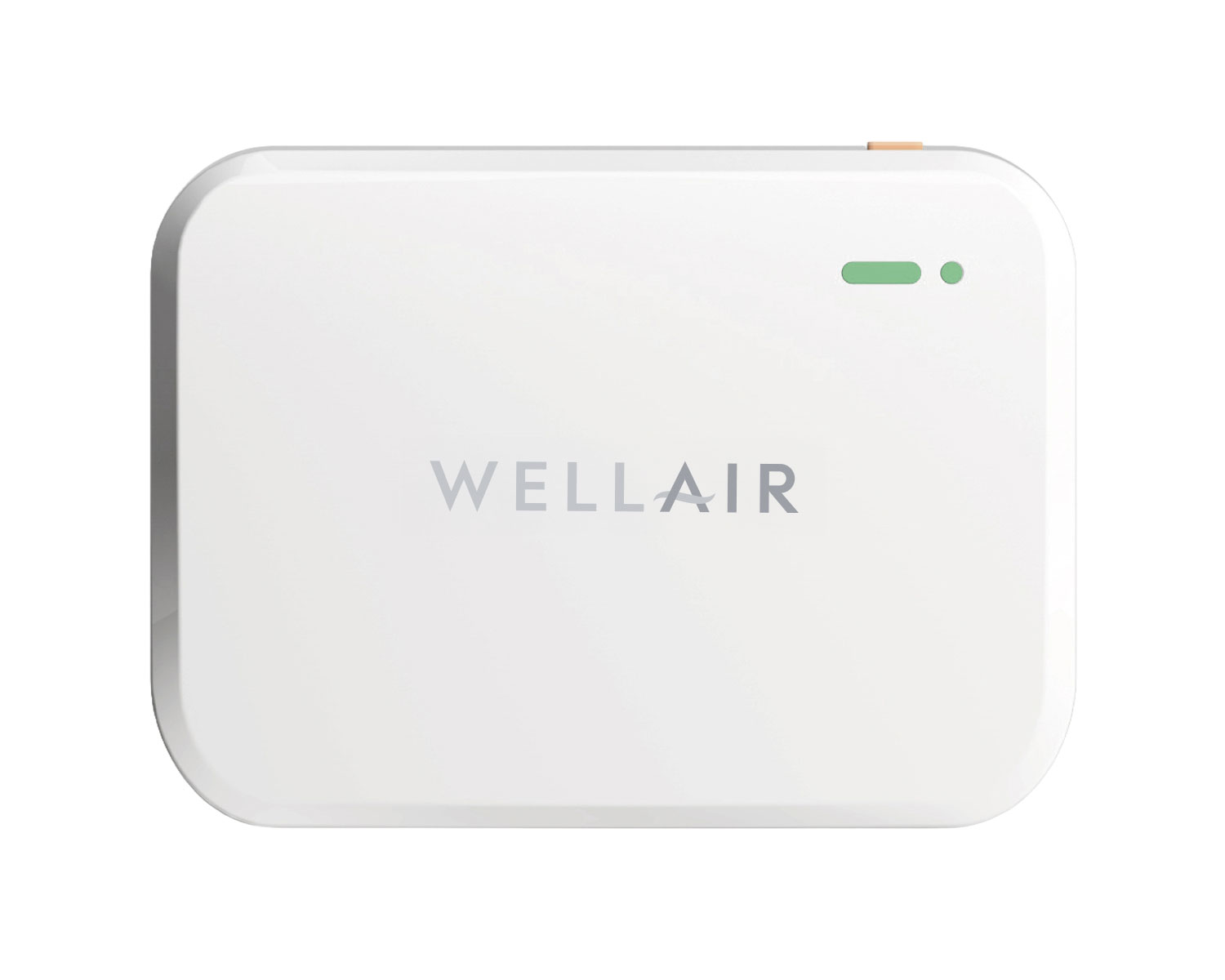
NanoDetect PRO Installation Manual
Download the Quick Start Guide
DECLARATION of CONFORMITY
The NanoDetect PRO series meets essential requirements for CE, FCC, RoHS, and REACH certifications.
SAFETY PRECAUTIONS
Failure to adhere to these instructions may result in device malfunction or damage.
• Do not disassemble or modify the device
• Keep the device away from open flames, heat, cold, and liquid sources.
• This device is not intended as a reference monitor; WellAir/Plasma Air will not be liable for any damage caused by inaccurate readings.
• Avoid shocks or impacts to the device.
HARDWARE SUMMARY
NanoDetect PRO (Wi-Fi): SKU 100080
NanoDetect PRO-S (Cellular): SKU 100081
Packaging List
Each NanoDetect PRO or PRO-S package contains the following components:
1. (1) NanoDetect PRO device
2. (2) mounting brackets
3. (2) Screws
4. (1) sensor capsule
5. (1) USB cable and US adaptor plug
6. (1) Installation manual
Hardware Overview
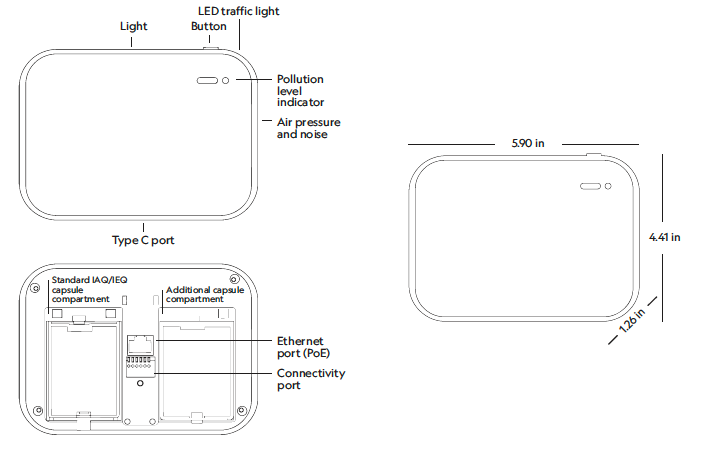
MECHANICAL INSTALLATION INSTRUCTIONS
**WARNING**
Do not connect to power before mechanical installation is complete.
CAPSULE INSTALLATION INSTRUCTIONS AND GENERAL MOUNTING CRITERIA
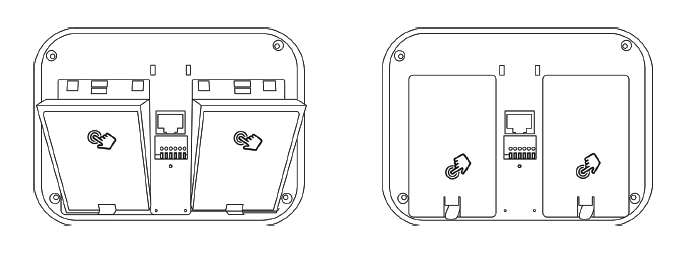
Step 1 Remove the sensor capsule cover at the rear of the device. Please note that a flat screwdriver may be needed if the capsule covers are tight.
Step 2 Insert the sensor at a 30-degree angle into the designated slot. Once aligned, press down on the top side of the capsule to secure it in place.
Step 3 Position the cover over the capsules and press down firmly on the upper part to ensure a secure fit.
Step 4 Mount the NanoDetect PRO device to wall in line with customer or building scheme requirements which are typically:
• 3.6 ft to 5.6 ft (1.1m to 1.7m) above the floor
• Clear of doors, windows and air vents
• Close to a power source
Mounting processes include:
1. DRY WALL
a. Attach the small bracket to the device with screws
b. Mount bracket A on the wall
c. Slide the device onto bracket A for secure placement
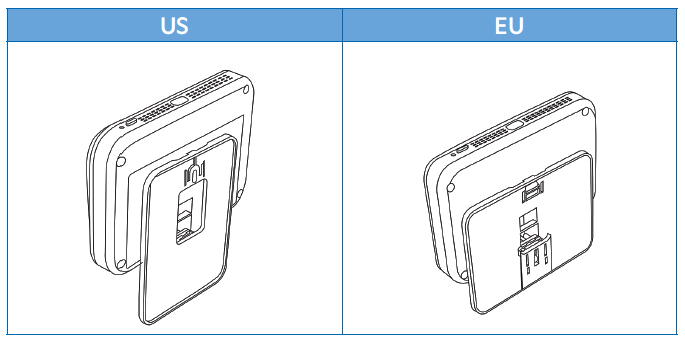
2. ELECTRICAL BOX MOUNT – REGIONAL VARIATIONS
a. Line up the plate with your in-wall electrical box and mount it in place using Electrical Box Screws (vertical for US and horizontal for EU as per dry wall mount).
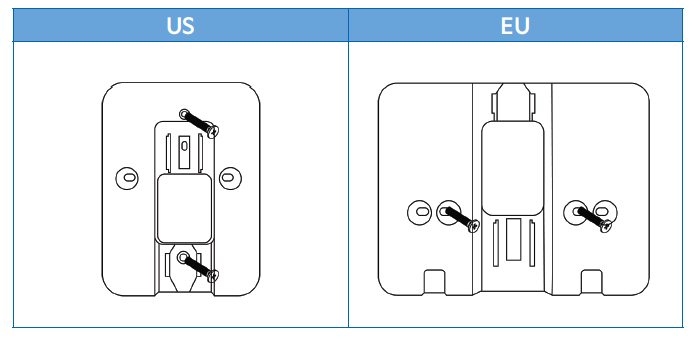
b. Slide the device into the wall-mounted brackets until securely positioned.
WARNING
• Please ensure that the power to the electrical box is turned off.
• Follow all local and national electrical and building codes.
• Do not connect to power before mechanical installation is complete.
ELECTRICAL INSTALLATION INSTRUCTIONS
**WARNING: Do not connect to power before installation is complete.**
POWER SUPPLY OPTIONS
The Sensor supports multiple power options for flexible installation:
• Type C (cable and adaptor/plug included)
• 24V AC
• 10-30V DC
• PoE (Power over Ethernet)
1. Connect the necessary power and connectivity cables:
Power Cable
• Connect 10-30V DC or 24V AC to the +/- terminals on the connectivity port.
• For Power over Ethernet (PoE), connect to the Ethernet port
Connectivity Cables
• Connect Modbus or BACnet cables to the A/B terminals on the connectivity port.
• Connect the Ethernet cable to the Ethernet port.

FCC ID XMR2023FCM362K
This device complies with part 15 of the FCC Rules. Operation is subject to the following two conditions:
(1) This device may not cause harmful interference, and
(2) This device must accept any interference received, including interference that may cause undesired operation.
BACK TO SUPPORT CENTER